Slack's Later Feature Is Now To-Dos, Here's What Changed
 Productivity
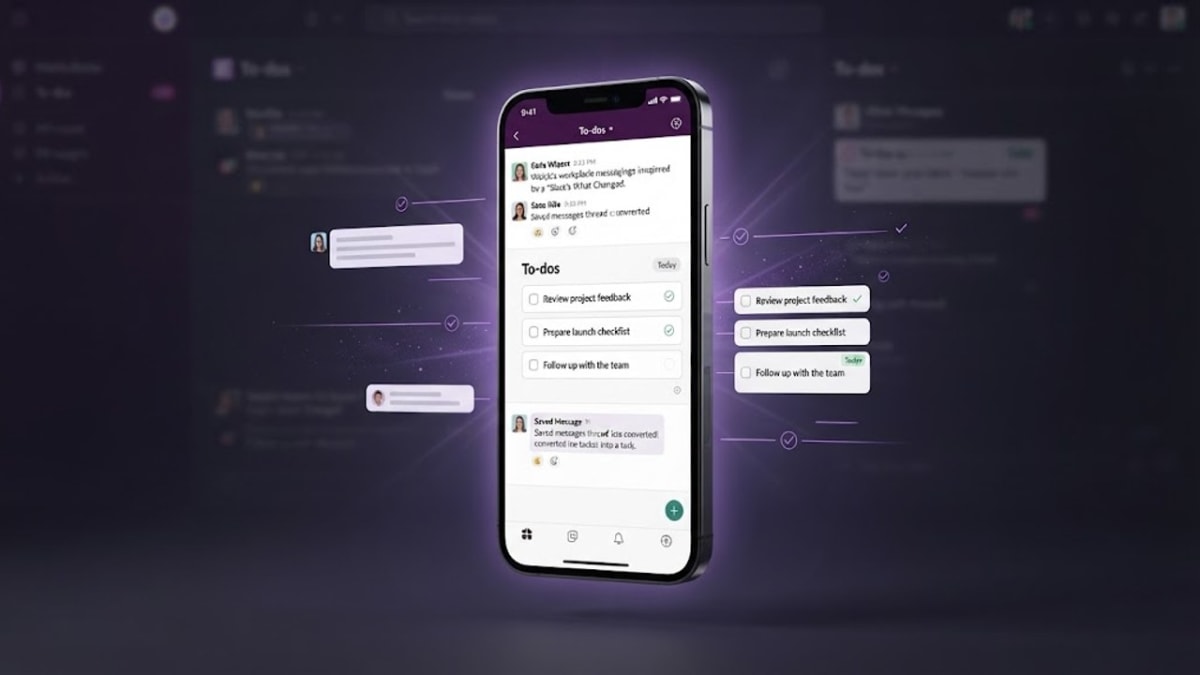
Slack has quietly replaced its Later feature with a To-Dos tab. Here's what happened to your saved messages and what changed for reminders.
If you've opened Slack this week and noticed the little bookmark icon you used to click to save a message for later has quietly turned into something called "To-Dos," you're not imagining it, and you didn't miss an announcement. Slack rarely makes a big show of changes like this one, and this is a change worth understanding before you go looking for a message you swore you saved.
Slack confirmed the switch in its own help centre: Later has been replaced by a personal to-do list called To-Dos, rolling out gradually from October 2026. If why most people use AI wrong comes down to anything, it's using a tool without understanding what it actually does, and a quiet rename like this is exactly the kind of thing that trips people up later.
Here's exactly what changed, where your old saved items went, and how the new system actually works.
What Later used to do
For years, Later was Slack's version of a bookmark. See a message you wanted to come back to, click the clock icon, and it landed in a simple list you could check whenever you had time. It was deliberately basic: no due dates, no real structure, just "I'll deal with this eventually."
That simplicity was also its limit. Later never told you when "eventually" should be, so items piled up with no way to prioritise one over another beyond the order you'd saved them.
What To-Dos actually adds
To-Dos keeps the core idea, save something to come back to, but gives it the structure Later never had. You can still add a message or a file as a to-do the same way you used to save it for Later. The real difference shows up once it's saved.
Each to-do can carry an optional reminder, so instead of a flat list, you get a deadline that notifies you in your Activity tab when it comes due. You can also create a to-do from scratch, directly from the To-Dos tab, for something that didn't start as a Slack message at all, closer to a lightweight task manager living inside the sidebar you're already using all day. Reminders aren't mandatory, so a to-do without one behaves the way old Later items always did.
Where your old Later items went
This is the part most people will actually come searching for. When the change rolled out, Slack didn't delete anything.
- Items that already had a reminder set became to-dos automatically, reminder intact.
- Items without a reminder moved to the Saved section of your Home tab instead of the new To-Dos list.
- Anything you'd already marked complete stayed exactly where it was.
So if Later feels empty and you can't find something, check Saved on Home before assuming it's gone. Nothing in Slack's own documentation suggests anything was actually deleted in the move.
Finding and managing your to-dos
The To-Dos tab sits where Later used to live in the sidebar, and it's organised a bit more like an actual task list now. You can filter by due date, by whether something's been completed, and by whether a reminder is attached at all, which makes it genuinely usable for more than a handful of saved messages, something Later started to struggle with once your list grew past a dozen items.
Adding a reminder after the fact works the same way it did before: set it directly on a message or file, or from inside the To-Dos tab itself, and Slack handles the notification when the deadline arrives.
Who can see your to-dos
One question worth settling early: your To-Dos list is personal, the same way Later always was. Saving a message as a to-do doesn't notify the sender, doesn't post anything back into the channel, and nobody else on your team can see your list. It's a private layer sitting on top of the conversations you're already part of, not a shared task board. If your team wants shared, assignable tasks with visibility for everyone, that's still a job for a dedicated project tool, not this feature.
Why Slack made this change now
Slack has been pushing hard into making the app feel less like pure chat and less like a waiting room for messages you'll "get to eventually." October's broader update also added workflows that can start a conversation with an agent using context they've already gathered, not unlike AI agents like Meta Muse that act on a task instead of just answering a question, and Enterprise admins got new channel analytics for larger channels. To-Dos fits the same direction: turning passive, forgettable lists into something with actual structure and follow-through. Teams wiring their own AI coding assistants into a workflow like this tend to get more consistent results with a rules file for AI coding tools that spells out how the agent should behave, rather than leaving it to guess each time.
It's part of a pattern across workplace tools generally, where AI and automation are quietly reshaping ordinary software a feature at a time rather than through one dramatic relaunch. Most users won't notice the strategy behind it. They'll just notice that the thing they used to forget about now pings them when it's due.
None of this happened in isolation this month, either. The same release cycle that brought To-Dos also expanded Channel Manager analytics for Enterprise admins overseeing larger channels, letting them see engagement trends and top messages without digging through scroll history by hand. Taken together, October's updates read less like a grab-bag of small tweaks and more like Slack deciding that both individual users and admins needed better ways to see what actually matters inside a tool that, for most teams, has become the place where everything gets said and almost nothing gets tracked. The tools people build their workdays around keep shifting underneath them in bigger ways too: the same month brought developers asking is Deno dead, after Cloudflare's acquisition of the team behind it changed what they could rely on without warning.
Is this actually better than Later?
For anyone who used Later as a genuine bookmark and nothing else, the honest answer is: it's roughly the same, with the option to do more. Nothing about the basic save-it-for-now behaviour got harder or slower.
For anyone who used Later as an informal to-do list, which plenty of people did without ever calling it that, this is a real upgrade. A reminder that actually surfaces again when it matters is the single feature Later was missing the entire time it existed, and it's the reason a bookmark icon quietly became a small task manager instead of needing a separate app for it.
If your team also juggles documents alongside Slack messages, it's worth knowing that Google Docs picked up a similar quality-of-life change recently too: you can now open and edit Markdown files directly in Google Docs without converting them first, which is the same general trend of productivity tools quietly removing small friction points rather than announcing a big redesign. The same applies to research tools: our NotebookLM vs ChatGPT comparison covers which one actually fits pulling a saved Slack thread into a proper write-up. And if what's piling up in To-Dos is a stack of PDFs rather than messages, a free Merge PDF tool combines them into one file before you file it away.
If you're building Slack workflows, not just using them
To-Dos is a personal feature, but the same October update that shipped it also expanded what Slack's own Workflow Builder and bots can do, which matters for anyone wiring a custom app into a workspace rather than just clicking around the UI. A Slack app that calls out to your own backend, or receives a webhook back from it, usually carries a bearer token somewhere in that exchange; a JWT decoder confirms what's actually inside one before you trust it in production, without sending the token anywhere.
The same goes for the response your own API sends back into a workflow step. Typing out an interface by hand for every new Slack integration gets old fast, and a JSON to TypeScript converter turns a sample payload into clean types in seconds, so the workflow's output is actually type-safe on your end instead of just any.
The bottom line
Later didn't disappear so much as grow up. Your saved messages are still there, split between To-Dos and the Saved section of Home depending on whether they had a reminder, and the new tab gives you an actual way to see what's overdue instead of an undifferentiated pile of things you meant to get to. It's a small change, rolled out quietly, but it's the kind of small change that makes the app genuinely easier to live in once you know where everything went.
FAQs
Where did Slack's Later feature go?
It was renamed and upgraded to To-Dos, rolling out gradually from October 2026. Your saved items weren't deleted: those with a reminder became to-dos, and those without one moved to the Saved section of your Home tab.
How do I find my old saved messages in Slack?
Check the To-Dos tab first for anything that had a reminder attached. If it's not there, look in the Saved section of your Home tab, where reminder-free Later items were moved.
Does every to-do in Slack need a reminder?
No. Adding a reminder is optional. A to-do without one behaves the way Later items always did: a simple saved item with no deadline notification.
Can I filter my to-dos in Slack?
Yes. The To-Dos tab lets you filter by due date, by completion status, and by whether a reminder is attached, which makes it easier to manage than Later's flat list once you have more than a few items saved.
Is the Slack To-Dos update available for everyone yet?
Slack says the rollout is gradual, so some workspaces may see it before others. If you don't have it yet, check back, since Slack's help centre confirms it's rolling out broadly rather than as a limited test.
Does To-Dos sync with other task managers like Notion or Asana?
Not automatically. To-Dos is a personal layer built directly into Slack, with no native sync to outside task managers as of this rollout. If your team's real task tracking lives in a dedicated tool, To-Dos is best treated as a quick personal catch-all for Slack messages specifically, not a replacement for that system.
Blogs Byte explains AI, software and productivity in plain English, and builds free browser-based tools.