WhatsApp Calls Without an Account Now Work From a Browser
 Social Media
WhatsApp now lets anyone join a call without an account or the app, straight from a browser link. Here's how guest calls work and what they can't do.
On October 14, 2026, WhatsApp published a post titled "Now You Can Invite Anyone to a WhatsApp Call: No Account Needed, No Cost, No Time Limit". The headline is the whole change in one line: a person with no WhatsApp account can join a WhatsApp call from a computer browser, as long as someone with an account sends them a link and then lets them in. If you have ever had to tell a client, a parent or a new contact "download WhatsApp first" before a call could start, this is the step that goes away.
This guide sticks to what WhatsApp itself has published. It covers how guest calling works, a dated timeline of how it got here, what the announcement leaves unsaid, and a short checklist for using it sensibly. Meta, which also owns Facebook, made a separate change this month to how Facebook users shape their own feed, but the two are unrelated features.
How WhatsApp guest calls work
Only people with a WhatsApp account can create a call link, according to WhatsApp's post. The link comes from the Calls tab: tap the "+" icon, create the link, and share it however you like, by text, email or any other channel.
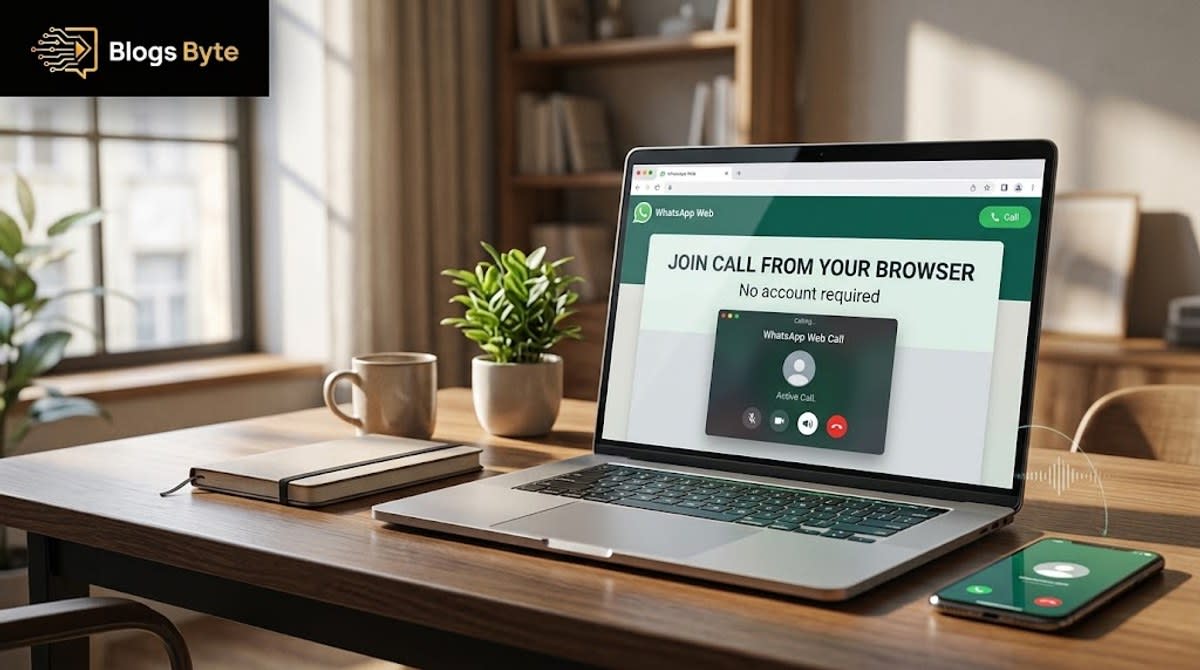
A guest opens that link in their computer's browser and types in a name. Then they wait. In WhatsApp's words, "Guests will enter a waiting room until the host lets them in." The post is explicit that the host has to admit the guest, so nobody joins unannounced, and it adds that hosts can remove guests from a call at any time.
Once inside, guests can join one-to-one calls and group calls with up to 32 people. The post describes the calls as free, end-to-end encrypted and without time limits. Its examples of who you might invite are colleagues, classmates and a tutor.
A dated timeline of how guest calling arrived
Guest calling did not appear overnight. Here is the sequence, using only dated primary or named-source pages we opened:
| Date | What was published | Source |
|---|---|---|
| August 14, 2025 | WhatsApp adds scheduled calls and call links. People can schedule a call, invite people or groups, and share or add the link to a calendar. The person who made the link is notified when someone joins. | WhatsApp Blog, "Calling on WhatsApp: New ways to plan ahead and take part" |
| September 7, 2026 | WABetaInfo reports that WhatsApp is working on letting users without an account join calls through a link on WhatsApp Web. It calls the feature "under development" and not available to beta testers. | WABetaInfo |
| September 14, 2026 | WABetaInfo reports that, in the future, iOS users will be able to create guest-call links, that guest approval by the host will always be mandatory, and that the feature also works with group calls. It still describes the feature as in development. | WABetaInfo |
| October 14, 2026 | WhatsApp announces guest calling on its own blog. | WhatsApp Blog |
Two details in this table matter. First, the call links that guests now use are not new in themselves: they arrived in 2025 with scheduled calls, and the 2026 change is that people without an account can open them. Second, the September reports came from a beta-tracking site, not from WhatsApp, and they described something unfinished. Only the October 14 post is WhatsApp speaking for itself, so that is the version this article treats as the source of record.
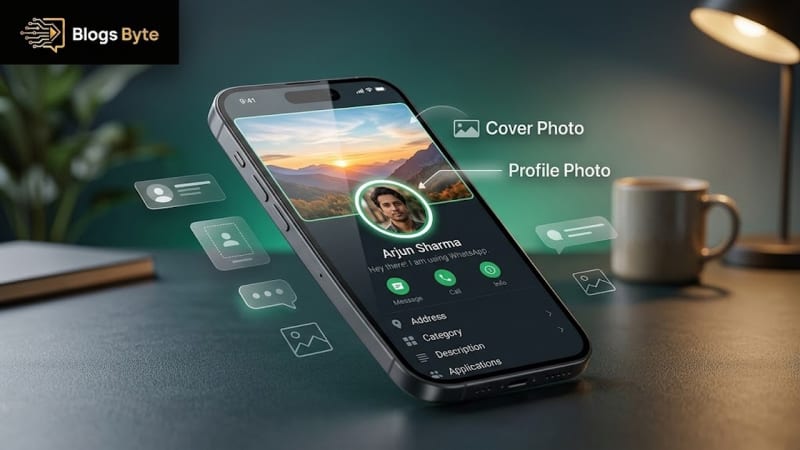
Meta shipped other, unrelated things in the same weeks, which we covered separately: a WhatsApp profile cover photo, the model Muse Spark Open, and the company's Muse AI agent. None of them depends on guest calling.
What this fixes
The obvious use is the one most people have pictured: a video call with someone who does not want another app, or cannot install one, such as a parent, an older relative or someone on a work computer that blocks new installs. Instead of a dead end, you send a link and they are in a browser tab, the same no-install convenience behind free tools that run entirely in your browser.
It also helps a smaller, more common case: a group call where one person is between phones, borrowing a laptop, or using a device they would rather not sign in to. The link asks for a name and nothing else about who they are.
What guests cannot do
WhatsApp's post lists the limits plainly: "Guests can't see other participants' phone numbers, send messages, or add anyone else directly to the call." So this is a calling feature, not an account bypass:
- No messaging in the call. If the conversation needs to continue by text, someone still needs an account.
- No phone numbers. That protects regular users' privacy, but it also means a guest cannot save a contact from the call.
- No adding people. A guest cannot bring in a third person themselves. The post says only that guests cannot add anyone "directly"; it does not describe what a guest could do by passing the link on, so we do not guess.
- Browser on a computer. The post says guests join from their computer browser. It does not describe joining from a phone browser, so do not assume that works. Browser-only access is also how the tools on this site work: nothing to install.
What WhatsApp has not said
Several questions that readers ask are not answered by the announcement. This table separates what the post states from what we could not confirm.
| Question | What we found |
|---|---|
| Which phones or apps can create a guest link? | The announcement names no platform. A September 14 WABetaInfo report said iOS support for creating guest links was still in development. We found no official statement of the current state, so check the Calls tab in your own app. |
| Which browsers work? | The announcement names none. |
| Is there anything specific for businesses? | The post does not address business use. |
| Are there screen sharing, recording or breakout rooms for guests? | The post does not mention them. We do not claim that they exist or do not exist. |
| Is the participant limit 32 or 256? | See the next section. |
The 32 versus 256 question
The announcement says guests can join calls with up to 32 people. A separate WhatsApp Help Center page about call links says a call link can include a maximum of 256 people. We could not tell from either page whether these figures describe different things, for example guest calls versus ordinary call links, or whether one of them is out of date.
Until WhatsApp reconciles the two, plan around the lower number for any call that includes guests. If you are organizing something large, such as a school event or a class, test with a smaller group first. The Help Center page also says a call link that has not been used for 30 days can no longer be joined, so send a fresh link instead of reusing an old one.
Next to scheduled calls and calendar plans
Guest calling sits on top of features WhatsApp added in 2025. Scheduled calls let you invite people in advance and add the call link to a personal calendar, and the link creator gets a notification when someone joins. WhatsApp's October post adds that calendar integrations with Google or Outlook are coming "later this year". That is a stated plan, not a shipped feature, so a calendar entry for a guest call is something to watch for, not something to rely on yet.
This is a more modest tool than a full meeting platform. WhatsApp's own pages describe links, a waiting room, a participant cap and encryption. They do not describe the kind of structured features that dedicated meeting products advertise, and we have not compared specific feature lists, so we leave that comparison out. The simple version is the point: it extends a familiar app to someone who is not in it.
It is part of the same shift that let people open a Markdown file in Google Docs without installing extra software: more everyday tasks are moving into whatever is already open in a browser tab.
What this means if you run a small business on WhatsApp
Many small businesses already handle bookings, delivery confirmations and returns on WhatsApp. Until now, a video call with a customer meant asking them to install the app first. With guest links, a shop can send a call link the way it sends a text confirmation, and the customer can join from a computer browser.
The announcement does not describe anything built for businesses: no routing between agents, no scheduling for guests beyond the 2025 scheduled calls. For a one-to-one support call, though, the only thing that changes is that the customer no longer needs an account. It is the kind of small, mundane improvement that tends to matter more in practice than a headline feature, much like many real world applications of AI and everyday software.
Using guest calls sensibly
WhatsApp describes the calls as end-to-end encrypted, and the waiting room is the control that matters day to day. A few habits follow from what the post says:
- Treat the link like a key. Anyone who has it can ask to join. Do not post it somewhere public if the call is private.
- Use the waiting room. The host has to admit each guest. Admit people you recognize, and do not feel obliged to let someone in just because they knocked.
- Remove anyone who should not be there. WhatsApp says hosts can remove guests at any time.
- Watch the join notifications. WhatsApp says the person who made a call link is notified when someone joins.
- Send a new link for each event. Reusing old links makes it harder to know who might still have one.
The last habit is our suggestion, not something WhatsApp states.
Related reading
The wider question of who gets to take part in a product without a full account also showed up elsewhere this month, in our reports on Orkut's founder and a possible comeback and on who bought Bumble. And for developers, the same theme of openness not removing the company behind a product came up when people asked is Deno dead after Cloudflare acquired the Deno team.
What we do not know yet
- Which devices can create guest links. The announcement names no platform.
- Whether the limit is 32 or 256. The announcement and the Help Center page differ.
- Which browsers are supported. Not stated.
- When calendar integrations arrive. WhatsApp says "later this year", with no date.
- Whether guests can join from a phone browser. The post refers only to a computer browser.
The bottom line
WhatsApp calls without an account are real: since October 14, 2026, anyone with a link can ask to join from a computer browser, and the host decides who gets in. It removes one of the most common frictions in getting someone onto a call, and it builds on call links that WhatsApp introduced in 2025. The details that remain open, mainly which phones can create links and whether the cap is 32 or 256, are worth checking in your own app before you rely on it for something important.
FAQs
Can I join a WhatsApp call without an account?
Yes. If someone with a WhatsApp account shares a call link with you, you can open it in your computer's browser, type your name, and join once the host admits you from the waiting room. No account is required, according to WhatsApp's October 14, 2026 announcement.
How do I create a WhatsApp guest call link?
You need a WhatsApp account. WhatsApp's post says to use the Calls tab and its "+" icon to create a call link, then share the link with anyone, including people without WhatsApp. The announcement does not say which platforms can create links, so look for the option in your own app.
Can guests see other people's phone numbers on a WhatsApp call?
No. WhatsApp says guests cannot see other participants' phone numbers, send messages, or add anyone else directly to the call. The host also decides who joins by admitting each guest, and can remove guests at any time.
Is there a limit to how many people can join a WhatsApp guest call?
WhatsApp's announcement says guests can join one-to-one and group calls with up to 32 people. A WhatsApp Help Center page about call links gives a maximum of 256 people, and we could not tell whether the two numbers describe different things. The calls are described as free, with no time limits.
Can I create a guest call link from an iPhone?
We could not confirm it. A September 14, 2026 WABetaInfo report said iPhone support for creating guest links was still in development, and WhatsApp's announcement names no platform. Guests join from a computer browser.
Can a business use WhatsApp guest calling for customer support?
WhatsApp's post does not address business use, but any account holder can create a call link and send it to a customer. Nothing in the announcement describes routing to several agents or business-specific scheduling.
Sources
Pages opened for this article, checked November 6, 2026:
- WhatsApp Blog, "Now You Can Invite Anyone to a WhatsApp Call: No Account Needed, No Cost, No Time Limit", October 14, 2026.
- WhatsApp Blog, "Calling on WhatsApp: New ways to plan ahead and take part", August 14, 2025.
- WhatsApp Help Center, "How to fix issues with WhatsApp call links" (the 256-person figure and the 30-day link note, read in the Urdu version of the page).
- WABetaInfo, "WhatsApp is testing guest calls for people without an account", September 7, 2026.
- WABetaInfo, "WhatsApp will make calls available for users without an account", September 14, 2026.
Blogs Byte explains AI, software and productivity in plain English, and builds free browser-based tools.